
New and enhancements
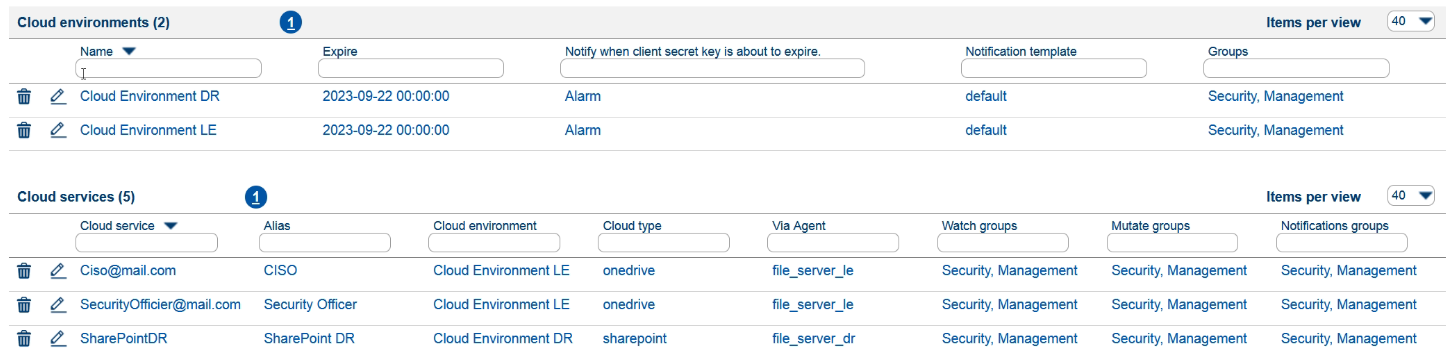
- Cloud: Data monitoring in the cloud, on servers and workstations. This new feature monitors file usage in the cloud. This provides insight and control over data stored in Cloud SharePoints or on OneDrives.
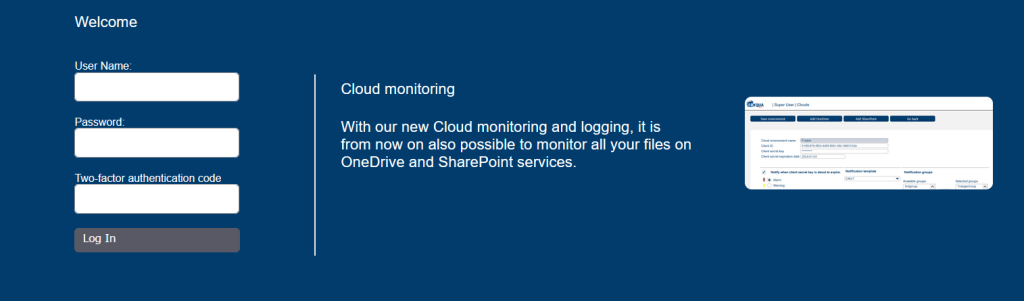
- Did you know: Tips and tricks are shown on the login screen to inform the user.
- Fryqua Data collects a lot of data, an export as CSV or PDF can be made of all events over a certain period. In this version we have expanded this functionality so that more variables can be filtered.
- Searching tables is made easier by search functions at the top, allowing you to quickly find what you are looking for.

- “Inventory” in the “Super User Menu” has been renamed to “Agents”. This contains all Agents that run on file servers or workstations and also the “Via Agents” that monitor cloud environments/services.
- Agent up and Agent down notifications can be hidden via a link in the “Notifications”. The “Hidden notifications” are then located in the “Normal User” under “Agent settings”. They can be made visible again by pressing the link.
- In this version, all hidden notifications are also shown in the “Show” under “Details”.
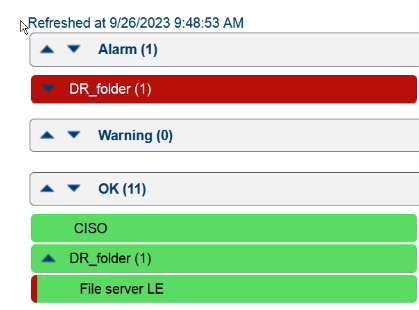
- If an Agent’s up/down notifications are hidden, this will not affect the status in the “Show”. A red bar will be displayed in the OK status, so that you know that the Agent is down if it is a hidden message.
Questions or support needed?
Do you have questions about this release or would you like to learn more about the new features in Fryqua Data 09.08.02? Feel free to contact our support team!