
New Features
Two Factor Authentication has been added: With help of TOTP (time-based one-time password), a temporary login code will be generated via an algorithm, with this time will be used as one of the authentication factors. It is free to use and an internet connection is not needed.
Update of Agents is now also possible via a secured connection.
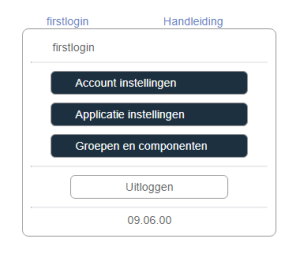
The ‘Personal Settings’ has gotten a new layout and has been moved from the Normal User Menu to the right top of the screen.
Fixes and improvements
TSMS Show: In the ‘TSMS show/Details’ the current notifications and notifications history can be viewed per system. Additionally/Furthermore graphs are available of different elements, for example, in- and outbound, cpu, and memory. From now on the correct and more readable average, max and minimum values are shown below the graphs.
Dashboard: Improvements in moving dashitems and several visual improvements.
Templates: When adding a vacation day in ‘Super User/templates’ a notification will appear if the date is entered incorrectly.
Inventory: All components are listed in ‘Super User/Inventory’. Here you can also set the rights user groups have for a component and the network settings. There is an automatic reload every 30 seconds and from now on there is also a ‘refresh’ butt.
Components can be given an alias aside from their systemname. This alias can of course be changed if desired. The new alias will from now also be immediately included in the ‘Global settings/Event Log’.
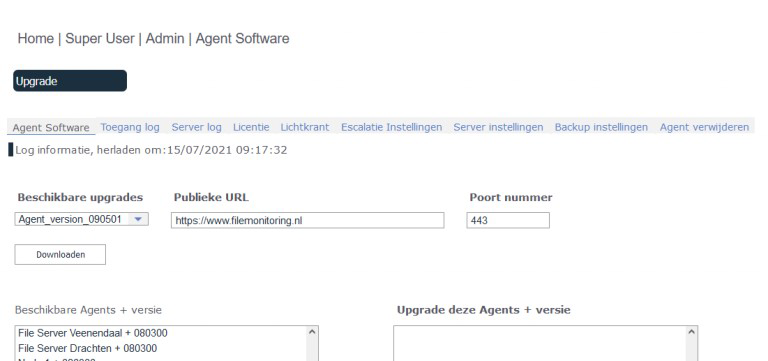
TSMS Admin: ‘Agent Upgrade’ in ‘TSMS Admin’ has been changed to ‘Agent Software’. For user convenience a ‘Download’ button has been added here. This will allow a selected agent.zip to be stored/saved on your own system.
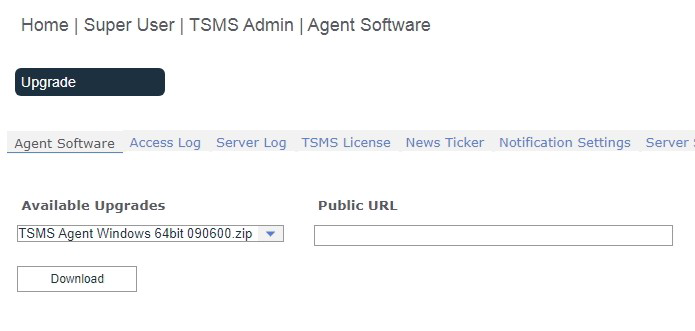 In the ‘TSMS Admin/ software’ is a listbox with the ‘available upgrades’. This will no longer fold up after 3 seconds.
Maps: In large environments it is useful to group systems into folders. For example, all Linux systems can be placed in 1 folder. In the Show, only the folder will then be displayed, which is more organized for management. Of course, it can also be folded out in the Show, so that all systems are visible. From now on it will also be possible to change the name of the ‘Map’, once it has been created.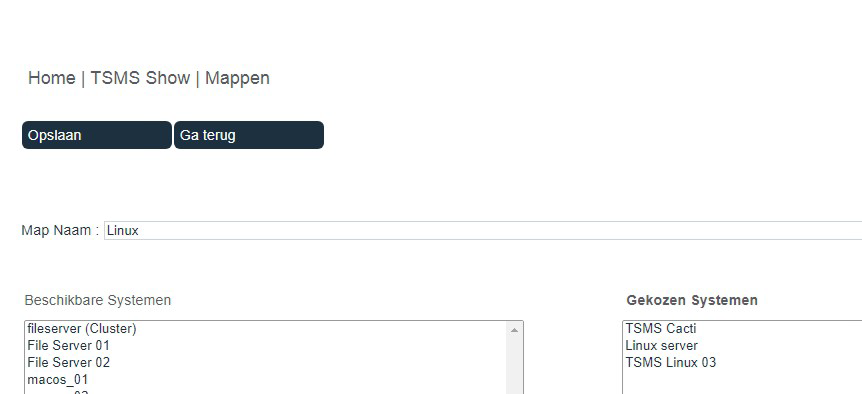
Personal Settings: For the user with only viewing rights, the column with groups with mutation rights has been removed in the ‘groups and components’ in the ‘account settings’.
Users can now receive a temporary account. With the adding or changing of a user, it is possible to implement a start- and/or ending date.
Other: Security improved.
The monitoring on a component can be (temporarily) turned off. This is useful, for example, when working on the component. The User Interface now clearly states when the Agent’s monitoring is off.
In tables with a lot of data, such as the ‘notifications’ in ‘reports’, it is possible to go to the previous and the next page. The last visited page will be remembered from now on. The option to go to ‘previous’ and ‘next’ on the first and last page has also been removed from the tables.
Prevention that a group can be deleted if this group is the only one still used for system groups, 2 Factor Authentication or the backup.
The characters ‘–’ and ‘_’ will from now on be accepted in user- and groupnames.
Notification if no ‘Available Screen’ was selected when creating a watch user.
Notification instead of popup if the monitoring of an agent is turned off in the ‘inventory’.
In ‘TSMS Admin/Agent Software’ there is a window with log information about agent upgrades. This window has been widened.
Changed the text ‘Sign in’ on first login to ‘log in’.
Some additional small textual and visual improvements.