
This release focuses on improving the user interface and usability of Fryqua Infra. It also includes improvements to reports, dashboards, configuration screens, and login functionality, as well as fixes for issues identified during testing.
New Features
- Updated user interface: The user interface has been updated to provide a more modern and consistent user experience across Fryqua Infra. The appearance has been improved in several areas, including notifications, reports, calendars, selection fields, icons and configuration screens.
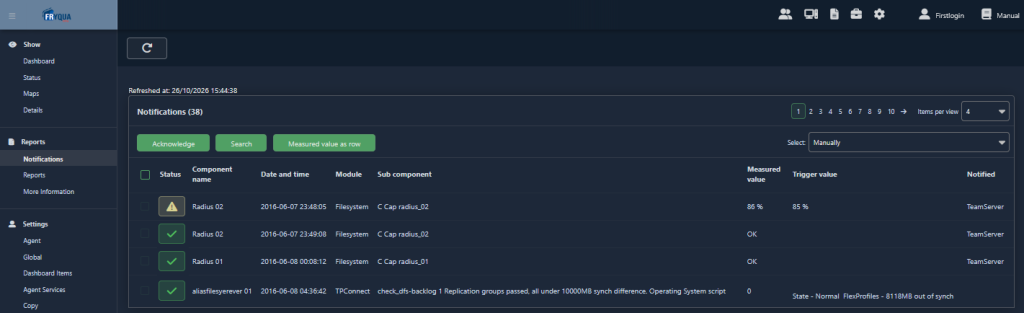
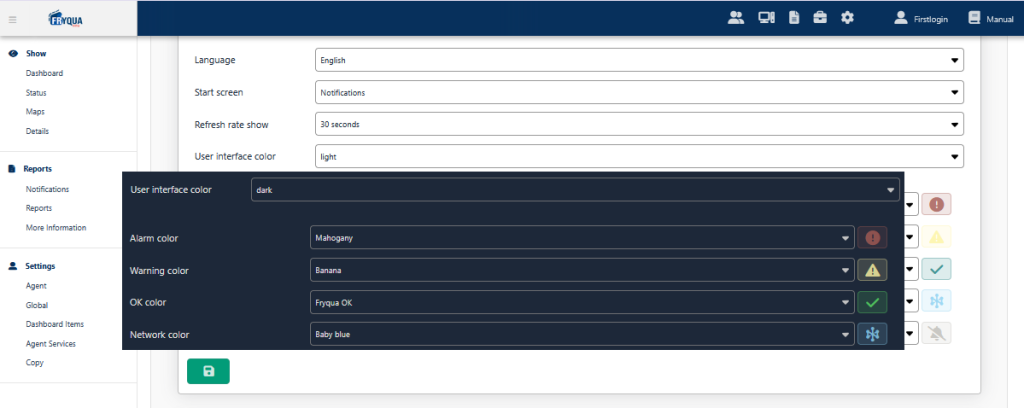
- Light and dark themes: Users can now choose between a light and dark theme in their personal settings. Colours and interface elements have been refined in both themes to improve readability and consistency. This includes status colours, disabled controls and input fields.
Fixes and enhancements
Dashboards
- Fixed an issue that occurred when editing notification information for dashboard items.
- Improved the display of dashboard items without a name.
- Corrected status messages and their positioning when copying dashboard settings.
Notifications and event logs
- Improved the layout and styling of notification settings.
- Corrected the configuration of alert groups for Windows Event Log monitoring.
- Improved the layout of notification-related controls and status indicators.
Maps and graphics
- Fixed an issue that displayed an unregistered ChartDirector licence
message in graphs. - Improved the handling of missing maps and ensured that a default map is available.
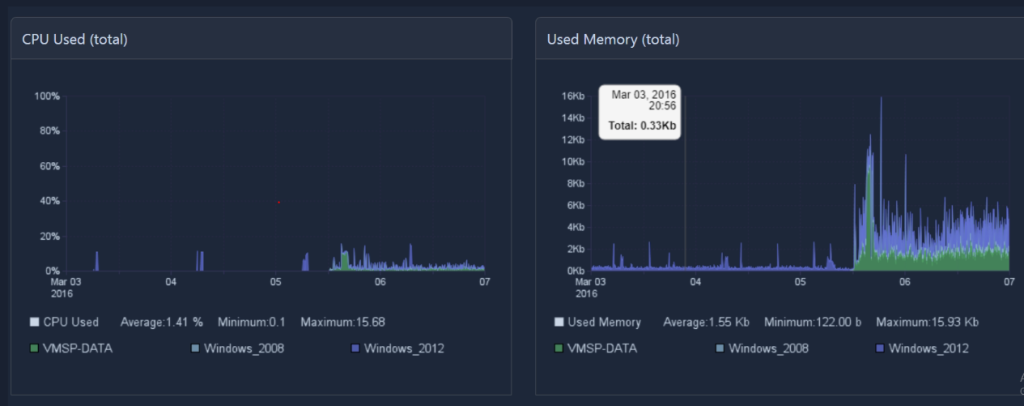
- Corrected time-window behaviour in CPU, memory and file system graphs to improve consistency between the selected settings and the displayed data.
Validation and text improvements
- Limited notification template names to a maximum of 100 characters.
- Improved error messages to use clearer terminology, including replacing “letters” with “text” where appropriate.
- Corrected spelling errors and inconsistent capitalisation in the interface.
- Improved the display of validation messages and other interface elements for a more consistent user experience.
Stability and compatibility
- Fixed various issues encountered when navigating between
administration and configuration screens. - Improved the handling of configuration errors and page navigation.
- Included a previously missing hotfix related to licence expiry handling.

Questions or support needed?
Do you have questions about this release or would you like to learn more about the new features in Fryqua Infra 11.00.00? Feel free to contact our support team!