
New and improved
Updated menu structure and navigation
- ‘Normal User’ menu has been renamed to ‘Settings’.
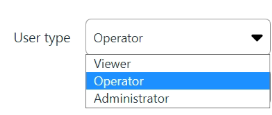
- User types ‘Watch’, ’Normal’ and ‘Super’ have been clarified to ‘Viewer’, ‘Operator’ and ‘Administrator’.
- The Super User menu has been moved to the top bar using ‘Icons’ for faster access.
- Various menu items adjusted, including changing ‘show’ to ‘status’.
- The Fryqua logo at the top of the menu has been removed for a cleaner layout.
Enhanced security and management
- Settings related to e-mail sjablonen have been optimised and restricted.
- Dashboard items security: these can now only be created by administrators.
- Dashboard items security: items now only display information from the linked groups the user belongs to.
- Protection against SQL Injection has been further strengthened.
Alerts and notifications
- Improved handling and display of (error) messages in the dashboard and data integrations.
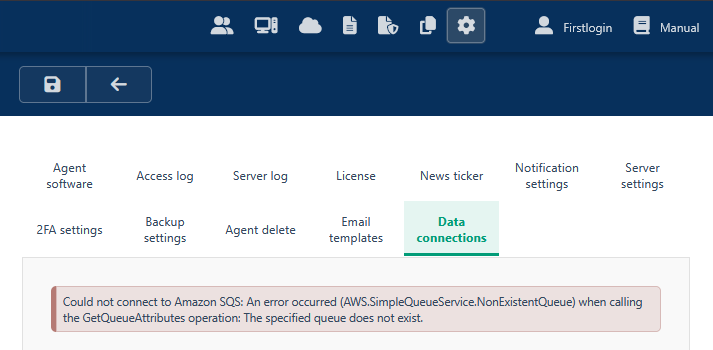
- Not-found alerts are handled more effectively.
- Duplicate and unnecessary notifications have been filtered out of the system.
Data and analytics
- Support for data mining in both Front-end and Back-end has been further expanded.
- Improvements in data classification (including colour display with capital letters) and field validation checks for accepted applications.
Dashboard and visualisation
- The order of dashboard items has been better aligned.
- Improvements made when adding sample tables (e.g., expanding from 10 to 12 columns).
- Line charts have been updated.
- Anomaly settings have been improved; issues where the max value was not updating have been resolved.
- The automatic refresh rate in personal settings has been optimised.
Bug fixes and optimalizations
- Fixed an issue where the info icon (‘i’) was not visible for files.
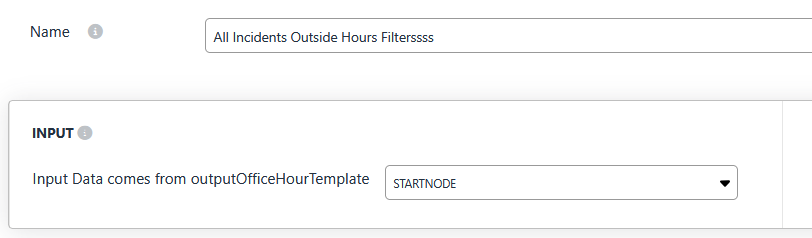
- Resolved an issue where the logo in personal settings did not load properly.
- Certain buttons and notification indicators that failed to disappear when zooming are now correctly hidden.
- Fixed an issue where the ‘Test data integration’ button did not work on the first click.
- The item counter on the screen now updates and adjusts correctly.
- Fixed an issue where the cursor overlapped text when using the pointer hand.
- Resolved error messages when requesting or creating tasks and data.
- Various minor bug fixes related to refreshes, the dashboard simulator, and timeouts.
Questions or support needed?
Do you have questions about this release or would you like to learn more about the new features in Fryqua Data 10.07.00?
Feel free to contact our support team!