
New Features
Fryqua Dashboard Upgrade: The dashboard has undergone a visual upgrade with a revamped design, more modern graphics and improved use of colour. This makes the data clearer and easier to interpret.
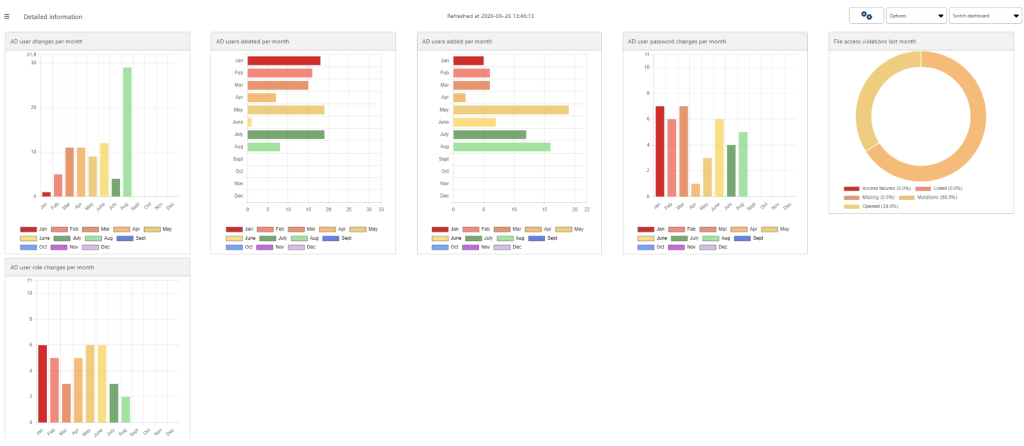
Changes to Fryqua Dashboard:
- Support for multiple data sources: This version allows you to use data from multiple information sources. In addition to databases, files such as CSV files (comma separated files) can now also be linked as data sources.
- Interactive dashboards: The dashboards have been made more interactive. End users can now apply filters to data within dashboards themselves and view additional details by moving the mouse over graphs or components. This makes it easier to quickly gain insights from the data.
- Improved user-friendliness: The navigation and overall user experience of the application have been improved. This helps users find their way around the application more quickly.
- Improved rights management: Rights management has been optimised. Users only have access to data for which they actually have rights, ensuring better data security.
- More flexible dashboard personalisation: Users can now more easily compile their own dashboards and information overviews, giving them direct access to the data that is relevant to them.
- Expansion of graph types: In addition to column graphs, pie charts and doughnut charts, the application now also supports line graphs, providing greater insight into trends and developments.
Fixes and enhancements
Report classifications: In the classification module, it is possible to create reports containing the use of classifications and/or labels. For labels, you can now select the label ‘unlabelled’ in the report, which gives you an overview of all unlabelled data.
Active Directory:
- In the Active Directory user attribute ‘bad logon count’, the number of failed logon attempts per user can be set. If this number is exceeded, a notification is sent. Every failed logon is now also visible in ‘all events’.
- Monitoring Active Directory and specific attributes is a module in Fryqua. This allows changes and deletions to be tracked and notified. Changes have been made in the backend to the storage of Active Directory attributes.
Enhanced support: Windows 2025 and Windows 11 24H2.
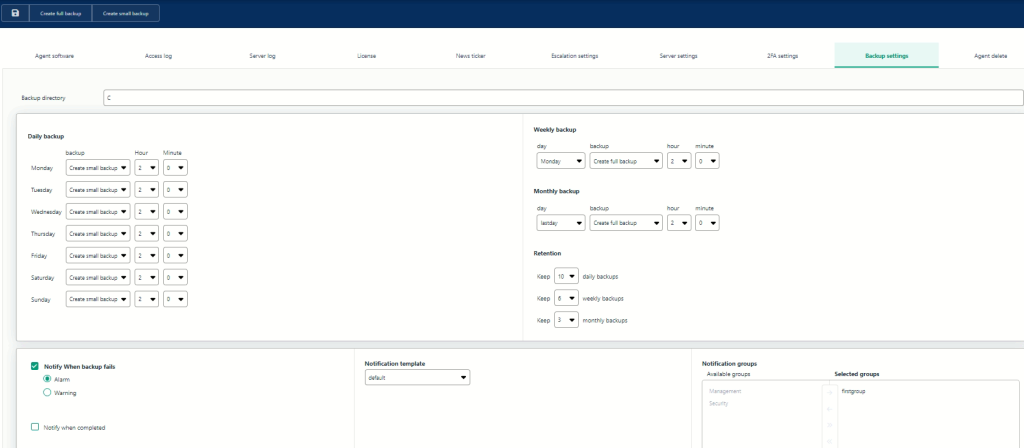
Backup settings: The default setting for the backup folder has been changed.
Visual and linguistic improvements in areas including data classification, new agents, information ‘i’, error messages, and in Admin/email template.