
New features
- Improved navigation: Navigation and page layouts have been improved to make the application easier to use. Breadcrumb navigation has been updated when editing dashboard items, and interface elements have been aligned more consistently.
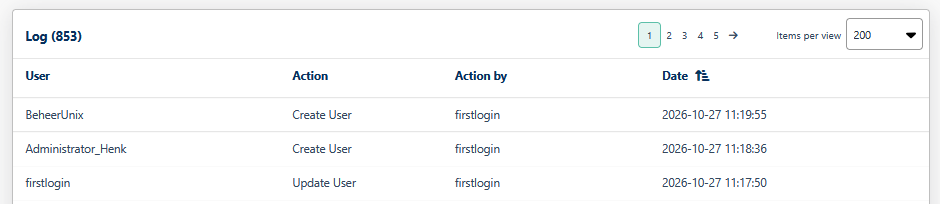
- Access log: The access log has been improved to provide clearer information about user access. This includes entries for newly created users.
Fixes and enhancements
Reports
- Fixed an issue that prevented reports from being generated from SUM → More Information.
- Made enhancements when adding reports via SUM → Reports.
- Improved report availability and selection.
- Corrected the time limits when creating reports. Hours now range from 00 to 23, and minutes from 00 to 59.
- Improved the processing and display of report data.
Login and help
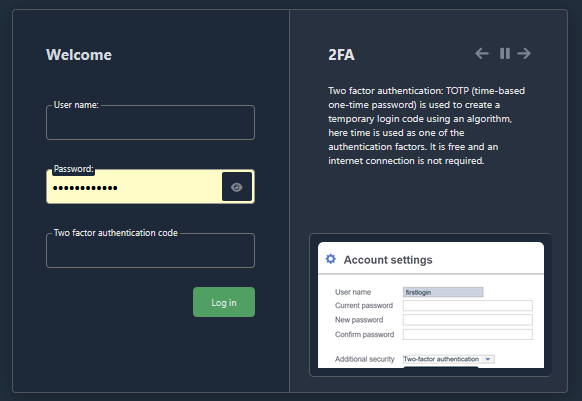
- Added an option to show or hide the password entered on the login page.
- Improved the handling of login issues related to map configuration.
- Corrected the loading of updated “Did you know?” information on the login page.
- Corrected an internal help link to ensure that it points to the appropriate Getting Started documentation.
Configuration and settings
- Made enhancements when adding components via SUM → Maps.
- Restored missing configuration screens for TCP/IP templates, SNMP trap settings and network load settings.
- Improved the display of status messages when monitoring is disabled.
- Updated the terminology in personal settings to better reflect the available colour settings.
- Improved the readability of fields containing values that cannot be changed.
Questions or support needed?
Do you have questions about this release or would you like to learn more about the new features in Fryqua Infra 10.01.00? Feel free to contact our support team!